Thursday, 4 October 2012

Using the Packaging Utility to create a repository for IBM Installation Manager

In this post, I'm starting to bring things together. I've previously described how the Packaging Utility: -

The IBM Packaging Utility is a publicly available packaging tool that combines the repositories of different IBM software packages into a common central repository. You can use the utility to move software packages between repositories or delete software packages from central repositories. The utility is often used to copy software package repositories from various sources (for example, CDs, DVDs, Internet, and so on) onto internal servers. In addition, you can also copy the latest fix packs and fixes of software packages onto the internal servers so not everyone in the enterprise needs to download it. By pointing the IBM Installation Manager to the internal servers, you can perform the installation of software from a common source.

can be downloaded and installed: -


in order that IBM Installation Manager can then be used to install WAS 8.5, as mentioned here - Silently installing WebSphere Application Server Network Deployment 8.5 - no GUIs here.

The thing that I'm specifically trying to do is to create a repository, containing ONLY the bits of WAS 8.5 that I actually need ( in my example, I'm going to only include the x86-32 Linux binaries ).

This repository will then be accessible by the IBM Installation Manager via FTP, to support a remote installation on one box from another.

To start with, I have the original base code available to me, via FTP just to prove the point. The repository is: -


( for the record, I am using the Very Secure FTP Daemon ( VS-FTPD ) to serve FTP requests from my Red Hat Enterprise Linux )

Having previously installed the Packaging Utility, I then use the PU's command line tool ( PUCL ).

Query the content of the FTP repository

$ /opt/IBM/PackagingUtility/PUCL -sVP listAvailablePackages -repositories ftp://hayd@was85/mnt/hgfs/WAS85/repository.config

Opening repositories.
Opening repository ftp://hayd@was85/mnt/hgfs/WAS85.
Searching for packages.
Collecting all offerings or updates in repository ftp://hayd@was85/mnt/hgfs/WAS85.
com.ibm.websphere.ND.v85_8.5.0.20120501_1108

Create a new copy of the repository ( on local disk - /root/WAS85Slim ), but ONLY containing the x86-32 Linux binaries

$ /opt/IBM/PackagingUtility/PUCL copy com.ibm.websphere.ND.v85_8.5.0.20120501_1108 -repositories ftp://hayd@was85/mnt/hgfs/WAS85/repository.config -platform os=linux,arch=x86 -sVP -target ~/WAS85Slim/ -acceptLicense

Opening repositories.
Opening repository ftp://hayd@was85/mnt/hgfs/WAS85.
Preparing copy operation.
Searching for package or fix com.ibm.websphere.ND.v85_8.5.0.20120501_1108.
Searching for package or fix com.ibm.websphere.ND.v85_8.5.0.20120501_1108. Getting file names from /root/WAS85Slim/.
Getting packages from /root/WAS85Slim/.
Searching for package or fix com.ibm.websphere.ND.v85_8.5.0.20120501_1108.
Searching for package or fix com.ibm.websphere.ND.v85_8.5.0.20120501_1108. Getting file names from /root/WAS85Slim/.
Searching for package or fix com.ibm.websphere.ND.v85_8.5.0.20120501_1108.
Searching for package or fix com.ibm.websphere.ND.v85_8.5.0.20120501_1108. Getting file names from /root/WAS85Slim/.
Getting fixes from /root/WAS85Slim/.
...

...
Processing com.ibm.websphere.WAS.embed_8.5.0.20120501_1108.su.
Processing com.ibm.WVE.was.nls_8.5.0.20120430_2224.su.
Processing com.ibm.websphere.sca_8.5.0.20120501_1108.su.
Processing com.ibm.was.nd_8.5.0.20120501_1108.assembly.
Getting file names from com.ibm.websphere.ND.v85_8.5.0.20120501_1108.offering.
Getting shareable unit fragments from com.ibm.websphere.ND.v85_8.5.0.20120501_1108.offering.
Getting file names from /root/WAS85Slim/.
Getting packages from /root/WAS85Slim/.
Getting fixes from /root/WAS85Slim/.
The operation completed successfully.


I can then configure IBM Installation Manager to use this new FTP-based repository: -


*CAVEAT* Unsupported, your mileage may vary

Now I'll add one point: -

Initially, I wanted to see whether I could skip the Packaging Utility step, and have Installation Manager pull the "original" files ( as downloaded from Passport Advantage ) directly.

These files are located in /mnt/hgfs/WAS85.

Having shared this via FTP, I could add the repository into IIM: -


*BUT* I found that IIM failed to load/install from the repository, even though it could connect OK.

When I tried using Packaging Utility in GUI mode, I saw: -

Composite repository "ftp://hayd@was85/mnt/hgfs/WAS85" could not access the referenced repository "ftp://hayd@was85/mnt/hgfs/WAS85/disk1".

against the same repository.

I "cheated" by editing the file: -

/mnt/hgfs/WAS85/repository.config 

and changing: -

repository.url.disk1=./disk1

to: -

repository.url.disk1=/mnt/hgfs/WAS85/disk1

In other words, I'm using an absolute rather than relative URL.

However, it's my view that this should NOT be necessary. Looking at the documentation thus far, it's my belief that one should always use Packaging Utility to create the repository ( whether FTP or HTTP or shared file system ).

In short, use PU to create a repository, regardless of how it's going to be shared, before using IIM to install.

I suspect that this is the supported approach.

*CAVEAT* Unsupported, your mileage may vary

More on WebSphere Application Server 8.5 - Getting to grips with IBM Packaging Utility

Hot on my earlier post - Silently installing WebSphere Application Server Network Deployment 8.5 - no GUIs here - this article explores how the IBM Packaging Utility can be installed and used on Red Hat Enterprise Linux.

The IBM Packaging Utility is a publicly available packaging tool that combines the repositories of different IBM software packages into a common central repository. You can use the utility to move software packages between repositories or delete software packages from central repositories. The utility is often used to copy software package repositories from various sources (for example, CDs, DVDs, Internet, and so on) onto internal servers. In addition, you can also copy the latest fix packs and fixes of software packages onto the internal servers so not everyone in the enterprise needs to download it. By pointing the IBM Installation Manager to the internal servers, you can perform the installation of software from a common source.


So I downloaded the Packaging Utility, following the following link: -


which took me here: -


and chose the x86-64 Linux version: -


This came down as a ~600 MB file: -

-rw-r--r--@  1 david_hay  staff   593M  4 Oct 12:27 pu.offering.disk.linux.x86_64_1.6.0.20120831_1308.zip

Unpack the Packaging Utility

$ cd /tmp
$ unzip ~/pu.offering.disk.linux.x86_64_1.6.0.20120831_1308.zip 

PU uses IBM Installation Manager (IIM), which I'd previously installed ( see aforementioned post ) so I didn't need to re-install IIM.

Record the Response File

$ /opt/IBM/InstallationManager/eclipse/IBMIM -record ~/install_PU6.rsp -skipInstall /tmp

which results in: -

<?xml version="1.0" encoding="UTF-8"?>
<!--The "acceptLicense" attribute has been deprecated. Use "-acceptLicense" command line option to accept license agreements.-->
<agent-input acceptLicense='true'>
<server>
<repository location='/tmp/disk_linux.x86_64'/>
</server>
<profile id='IBM Packaging Utility' installLocation='/opt/IBM/PackagingUtility'>
<data key='eclipseLocation' value='/opt/IBM/PackagingUtility'/>
<data key='user.import.profile' value='false'/>
<data key='cic.selector.os' value='linux'/>
<data key='cic.selector.arch' value='x86_64'/>
<data key='cic.selector.ws' value='gtk'/>
<data key='cic.selector.nl' value='en'/>
</profile>
<install modify='false'>
<offering id='com.ibm.cic.packagingUtility' version='1.6.0.20120831_1308' profile='IBM Packaging Utility' features='packaging_utility,jre' installFixes='none'/>
</install>
<preference name='com.ibm.cic.common.core.preferences.eclipseCache' value='/opt/IBM/IMShared'/>
<preference name='com.ibm.cic.common.core.preferences.connectTimeout' value='30'/>
<preference name='com.ibm.cic.common.core.preferences.readTimeout' value='45'/>
<preference name='com.ibm.cic.common.core.preferences.downloadAutoRetryCount' value='0'/>
<preference name='offering.service.repositories.areUsed' value='true'/>
<preference name='com.ibm.cic.common.core.preferences.ssl.nonsecureMode' value='false'/>
<preference name='com.ibm.cic.common.core.preferences.http.disablePreemptiveAuthentication' value='false'/>
<preference name='http.ntlm.auth.kind' value='NTLM'/>
<preference name='http.ntlm.auth.enableIntegrated.win32' value='true'/>
<preference name='com.ibm.cic.common.core.preferences.preserveDownloadedArtifacts' value='true'/>
<preference name='com.ibm.cic.common.core.preferences.keepFetchedFiles' value='false'/>
<preference name='PassportAdvantageIsEnabled' value='false'/>
<preference name='com.ibm.cic.common.core.preferences.searchForUpdates' value='false'/>
<preference name='com.ibm.cic.agent.ui.displayInternalVersion' value='false'/>
<preference name='com.ibm.cic.common.sharedUI.showErrorLog' value='true'/>
<preference name='com.ibm.cic.common.sharedUI.showWarningLog' value='true'/>
<preference name='com.ibm.cic.common.sharedUI.showNoteLog' value='true'/>
</agent-input>

and then install the Packaging Utility: -

$ /opt/IBM/InstallationManager/eclipse/IBMIM -input ~/install_PU6.rsp -log ~/install_PU6.log -silent -nosplash -acceptLicense

Installed com.ibm.cic.packagingUtility_1.6.0.20120831_1308 to the /opt/IBM/PackagingUtility directory.

( taking 11 seconds on my Mac, thanks to the SSD !! ).

Now to get to grips with the PU .....

Thankfully, the IBM Education Assistant has a good section on the PU here: -

Managing repositories with the IBM packaging utility

Adobe Flash

Adobe PDF

Re-use, don't re-invent - How do I unzip multiple / many files under Linux?

I'm reposting the core of an excellent article by Vivek Gte on using wildcards with the unzip command on Unix: -


This is in specific response to an issue that one of my colleagues had earlier today, whilst trying to expand multiple WebSphere Application Server 8.5 installation packages on Linux: -

Q. I've lots of files in a directory called /disk2/images. All files are zip file format , so I am using following command:

unzip *.zip

Which is result into an error as follows:

caution: filename not matched

How do I unzip multiple / many files under Linux?

Option # 1 : unzip multiple files using single quote (short version)

Type the command as follows:

$ unzip '*.zip'

Note that *.zip word is put in between two single quote, so that shell will not recognize it as a wild card character.

Option # 2 : unzip multiple files using shell for loop (long version)

You can also use for loop as follows:
$ for z in *.zip; do unzip $z; done

WebSphere Application Server 8.5 Developer Tools for Eclipse and WebSphere Application Server 8.5 Liberty Profile Developer Tools

This article goes into a little more detail about the options to install the WebSphere Application Server (WAS) development and runtime tools into Eclipse, and is based upon my journey to WAS version 8.5, as I continue to grow my knowledge and understanding of the WebSphere business into which I've recently moved.

I posted about the Liberty Profile Developer Tools previously: -

WebSphere Application Server Developer Tools are a lightweight set of tools for developing, assembling, and deploying applications to different WebSphere Application Server runtimes, including V8.5 Liberty Profile, V8.5, V8.0, and V7.0.


and also Tweeted a link to the IBM WASdev community on developerWorks: -


This post is a more detailed walkthrough of my own experiences.

Firstly, a quick caveat - this is the story of MY journey, and what worked for ME. I hope it works for you, but please remember that there are other, more official sources of support out there, including the aforementioned WASdev community.

As an example, these posts: -


In this video Tim deBoer gives an overview of the Liberty Profile from scratch including the debug capabilities and the WebSphere Application Server Developer Tools.


Developers and IT professionals can use these free education modules on this page to get started with the IBM WAS Liberty Profile. The modules below offer step-by-step guidance to get you started using WAS Liberty. 


IBM® WebSphere® Application Server Developer Tools provides plug-ins from the Eclipse Marketplace that can be installed into an existing Eclipse environment to support development for WebSphere Application Server. This no-charge offering compliments the IBM WebSphere Application Server for Developers to provide a lightweight, development environment for the developer desktop. The plug-ins include Web 2.0, JEE and OSGi tools that can be used with the required WebSphere server adapters (V7.0, V8.0, V8.5 or Liberty profile) for deployment to WebSphere Application Server.

WebSphere Application Server V8.5 now includes a Liberty Profile is that optimizes developer productivity and web application deployment with the new Liberty Profile option, an ultra lightweight, fast starting, highly composable application server profile. The Liberty profile can be downloaded separately or with WAS for Developers.

IBM WebSphere Application Server for Developers is a no-charge WebSphere Application Server development runtime for projects that don't warrant the expense of a priced and supported runtime on the developer desktop. The development time runtime environment allows developers to test their applications on their desktop before moving the application into a production runtime environment.

are definitely worth checking out BEFORE you proceed.

So I'm using an Apple MacBook, running OS X 10.7.5 Lion, so the Developer Tools and the Liberty profile seemed like a great way for me to develop and test my code on a real instance of WAS without needing to fire up a VM ( which I do do on a regular basis ). It's also quite cool, in a geeky sort of way :-)

The firs thing that one requires, and this caught me out, is the RIGHT version/deployment of Eclipse: -

Eclipse is a multi-language software development environment comprising an integrated development environment (IDE) and an extensible plug-in system. It is written mostly in Java. It can be used to develop applications in Java and, by means of various plug-ins, other programming languages including Ada, C, C++, COBOL, Fortran, Haskell, Perl, PHP, Python, R, Ruby (including Ruby on Rails framework), Scala, Clojure, Groovy, Android and Scheme. It can also be used to develop packages for the software Mathematica. Development environments include the Eclipse Java development tools (JDT) for Java, Eclipse CDT for C/C++ and Eclipse PDT for PHP, among others.


The WASdev site tells you to: -

Install Eclipse Juno for Java EE Developers (4.2) or Eclipse Indigo for Java EE Developers (3.7.2)

I already had Eclipse installed, so read straight past this - that was my first mistake.

So this is what I had: -


Note that it does NOT explicitly mention Java Enterprise Edition ( Java EE ) :-)

This is what I SHOULD have used: -


Without the right version of Eclipse, I wasn't even able to start the installation of the WAS tools. This turned out to be because the basic slim-line version that I had did NOT include the Eclipse Marketplace Client: -

Eclipse Marketplace Client (MPC) is a rich client interface for browsing and installing the Eclipse based solutions listed on the Eclipse Marketplace portal. It is a new feature that allows Eclipse users to discover and install Eclipse solutions directly into their Eclipse installation.

which provides for drag and drop installation, amongst other things.

Once I downloaded the RIGHT version of Eclipse, from here: -


I was on the right track. As a Mac user, I actually went for: -


which resulted in: -

-rw-r--r--@  1 david_hay  staff   211M  3 Oct 17:31 eclipse-jee-indigo-SR2-macosx-cocoa-x86_64.tar.gz

I unpacked: -

$ tar xvzf eclipse-jee-indigo-SR2-macosx-cocoa-x86_64.tar.gz

and started Eclipse: -

$ cd eclipse
$ ./eclipse


and this is what I ended up with: -


It was then a simple matter to visit my own blog post: -


and drag and drop the button: -


to the Eclipse menu bar: -


which resulted in: -


etc.

I did also see this: -


and, eventually, ended up with this: -


Having restarted Eclipse, I'm now writing my first ( on this platform ) Java servlet application.

As I regularly Tweet, #LifeIsGood

Wednesday, 3 October 2012

WebSphere Application Server 8.5 Liberty Profile Developer Tools

Want to install the WebSphere Application Server 8.5 Liberty Profile Developer Tools to your Eclipse installation ?
 
See the Eclipse Marketplace here for further information.

Silently installing WebSphere Application Server Network Deployment 8.5 - no GUIs here

In this article, I'll add to my knowledge of response-file driven silent software installations by installing the newly released WebSphere Application Server 8.5 product. As almost always, I'm using Red Hat Enterprise Linux rather than, say, Microsoft Windows.

So I've written a series of articles about silent / response-file driven installations, including: -


This time around, I'm installing the latest version 8.5 release of WAS, which was announced in April 2012 and released the following June.

As ever, I'm using Red Hat Enterprise Linux 6.3 ( x86-64 ), installed under VMware Fusion 5, on my trusty Apple MacBook Pro.

As ever, my notes do NOT NOT NOT replace the most excellent Information Centre, which has a great section on installation here. These are my notes, they work for me, and will hopefully work for you. However, remember, your mileage may vary.

Commands look like $this.
Output and script looks like this.

I've also included a few semi-optional steps, including how to check the version of IBM Installation Manager.

(i)

Download WAS 8.5 - this is described in great detail here: -


(ii) Unpack the images

IBM Installation Manager

$ mkdir /tmp/IIM
$ cd /tmp/IIM
$ unzip /mnt/hgfs/Software/WAS85/InstalMgr1.5.2_LNX_X86_WAS_8.5.zip 

WAS 8.5 ( including ND, Supplements and SDK )

$ mkdir /tmp/WAS85
$ cd /tmp/WAS85
$ unzip /mnt/hgfs/Software/WAS85/WAS_ND_V8.5_1_OF_3.zip 
$ unzip /mnt/hgfs/Software/WAS85/WAS_ND_V8.5_2_OF_3.zip 
$ unzip /mnt/hgfs/Software/WAS85/WAS_ND_V8.5_3_OF_3.zip 

(ii) Set up the hard and soft file limits

$ vi /etc/security/limits.conf

- append: -

*      soft    nofile          65535
*      hard    nofile          65535


- Note that these numbers worked for me - they MAY NOT WORK FOR YOU

(iii) Check the OS pre-requisites

Again, the documentation covers this rather well: -


and covers the pre-requisite Linux libraries and RPMs.

(iv) Install IBM Installation Manager (IIM)

$ cd /tmp/IIM/
$ ./installc -acceptLicense -nosplash

(v) Check IIM version

$ /opt/IBM/InstallationManager/eclipse/IBMIM -version -silent -nosplash

Installation Manager (installed)
Version: 1.5.2
Internal Version: 1.5.2000.20120223_0907


(vi) Update IBM Installation Manager ( this assumes Internet connectivity - I'll cover off-line updating later )

NB THis document was of immense use here: -


$ vi ~/setSearchForUpdates.xml

- append: -

<?xml version="1.0" encoding="UTF-8"?>
<agent-input>
<preference value='true' name='com.ibm.cic.common.core.preferences.searchForUpdates'/>
<preference value='true' name='offering.service.repositories.areUsed'/>
</agent-input>

$ /opt/IBM/InstallationManager/eclipse/tools/imcl input ~/setSearchForUpdates.xml -acceptLicense -nosplash

$ /opt/IBM/InstallationManager/eclipse/IBMIM -updateAll -silent -nosplash

WARNING: Running Installation Manager version 1.5.2 (internal version 1.5.2000.20120223_0907).
WARNING: Found Installation Manager version 1.6.0 (internal version 1.6.0.20120831_1216).


(vii) Check IIM version

$ /opt/IBM/InstallationManager/eclipse/IBMIM -version -silent -nosplash

Installation Manager (installed)
Version: 1.6.0
Internal Version: 1.6.0.20120831_1216

(viii) Record the Response File

$ /opt/IBM/InstallationManager/eclipse/IBMIM -record ~/install_WAS85.rsp -skipInstall /tmp

- Note that I added the currently available set of WAS 8.5 iFixes: -

-rwxr-xr-x 1 501 games  205117 Oct  3 13:20 8.5.0.0-ws-was-ifpm62795.zip
-rwxr-xr-x 1 501 games  304065 Oct  3 13:20 8.5.0.0-ws-was-ifpm63690.zip
-rwxr-xr-x 1 501 games  251862 Oct  3 13:20 8.5.0.0-ws-was-ifpm63827.zip
-rw-r--r-- 1 501 games  300831 Oct  3 13:20 8.5.0.0-ws-was-ifpm71296.zip
-rw-r--r-- 1 501 games 1561566 Oct  3 13:20 8.5.0.0-ws-wasihs-multios-ifpm72915.zip
-rwxr-xr-x 1 501 games 2252798 Oct  3 13:20 8.5.0.0-ws-wasnd-distexceptibmi-ifpm64890.zip
-rw-r--r-- 1 501 games  437441 Oct  3 13:20 8.5.0.0-ws-wasnd-distexceptibmi-ifpm66137.zip
-rwxr-xr-x 1 501 games  227880 Oct  3 13:20 8.5.0.0-ws-wasprod-ifpm64186.zip
-rwxr-xr-x 1 501 games  235550 Oct  3 13:20 8.5.0.0-ws-wasprod-multios-ifpm63479.zip


and that the code was located in /tmp/WAS85 and the iFixes were located in /tmp/WAS85/Fixes.

which results in: -

<?xml version="1.0" encoding="UTF-8"?>
<!--The "acceptLicense" attribute has been deprecated. Use "-acceptLicense" command line option to accept license agreements.-->
<agent-input acceptLicense='true'>
<server>
<repository location='/tmp/WAS85'/>
<repository location='/tmp/WAS85/Fixes/8.5.0.0-ws-was-ifpm62795.zip'/>
<repository location='/tmp/WAS85/Fixes/8.5.0.0-ws-was-ifpm63690.zip'/>
<repository location='/tmp/WAS85/Fixes/8.5.0.0-ws-was-ifpm63827.zip'/>
<repository location='/tmp/WAS85/Fixes/8.5.0.0-ws-was-ifpm71296.zip'/>
<repository location='/tmp/WAS85/Fixes/8.5.0.0-ws-wasihs-multios-ifpm72915.zip'/>
<repository location='/tmp/WAS85/Fixes/8.5.0.0-ws-wasnd-distexceptibmi-ifpm64890.zip'/>
<repository location='/tmp/WAS85/Fixes/8.5.0.0-ws-wasnd-distexceptibmi-ifpm66137.zip'/>
<repository location='/tmp/WAS85/Fixes/8.5.0.0-ws-wasprod-ifpm64186.zip'/>
<repository location='/tmp/WAS85/Fixes/8.5.0.0-ws-wasprod-multios-ifpm63479.zip'/>
</server>
<profile id='IBM WebSphere Application Server V8.5' installLocation='/opt/IBM/WebSphere/AppServer'>
<data key='eclipseLocation' value='/opt/IBM/WebSphere/AppServer'/>
<data key='user.import.profile' value='false'/>
<data key='cic.selector.os' value='linux'/>
<data key='cic.selector.arch' value='x86'/>
<data key='cic.selector.ws' value='gtk'/>
<data key='cic.selector.nl' value='en'/>
</profile>
<install modify='false'>
<offering id='8.5.0.0-WS-WAS-IFPM62795' version='8.5.0.20120503_1150' profile='IBM WebSphere Application Server V8.5' features='-'/>
<offering id='8.5.0.0-WS-WAS-IFPM63690' version='8.5.0.20120611_1318' profile='IBM WebSphere Application Server V8.5' features='-'/>
<offering id='8.5.0.0-WS-WAS-IFPM63827' version='8.5.0.20120503_1507' profile='IBM WebSphere Application Server V8.5' features='-'/>
<offering id='8.5.0.0-WS-WASND-DistExceptIBMi-IFPM64890' version='8.5.0.20120608_1634' profile='IBM WebSphere Application Server V8.5' features='-'/>
<offering id='8.5.0.0-WS-WASND-DistExceptIBMi-IFPM66137' version='8.5.0.20120615_0733' profile='IBM WebSphere Application Server V8.5' features='-'/>
<offering id='8.5.0.0-WS-WASProd-IFPM64186' version='8.5.0.20120611_1543' profile='IBM WebSphere Application Server V8.5' features='-'/>
<offering id='8.5.0.0-WS-WASProd-MultiOS-IFPM63479' version='8.5.0.20120613_2056' profile='IBM WebSphere Application Server V8.5' features='-'/>
<offering id='com.ibm.websphere.ND.v85' version='8.5.0.20120501_1108' profile='IBM WebSphere Application Server V8.5' features='core.feature,ejbdeploy,thinclient,embeddablecontainer,com.ibm.sdk.6_64bit,samples,liberty' installFixes='none'/>
</install>
<preference name='com.ibm.cic.common.core.preferences.eclipseCache' value='/opt/IBM/IMShared'/>
<preference name='com.ibm.cic.common.core.preferences.connectTimeout' value='30'/>
<preference name='com.ibm.cic.common.core.preferences.readTimeout' value='45'/>
<preference name='com.ibm.cic.common.core.preferences.downloadAutoRetryCount' value='0'/>
<preference name='offering.service.repositories.areUsed' value='true'/>
<preference name='com.ibm.cic.common.core.preferences.ssl.nonsecureMode' value='false'/>
<preference name='com.ibm.cic.common.core.preferences.http.disablePreemptiveAuthentication' value='false'/>
<preference name='http.ntlm.auth.kind' value='NTLM'/>
<preference name='http.ntlm.auth.enableIntegrated.win32' value='true'/>
<preference name='com.ibm.cic.common.core.preferences.preserveDownloadedArtifacts' value='true'/>
<preference name='com.ibm.cic.common.core.preferences.keepFetchedFiles' value='false'/>
<preference name='PassportAdvantageIsEnabled' value='false'/>
<preference name='com.ibm.cic.common.core.preferences.searchForUpdates' value='false'/>
<preference name='com.ibm.cic.agent.ui.displayInternalVersion' value='false'/>
<preference name='com.ibm.cic.common.sharedUI.showErrorLog' value='true'/>
<preference name='com.ibm.cic.common.sharedUI.showWarningLog' value='true'/>
<preference name='com.ibm.cic.common.sharedUI.showNoteLog' value='true'/>
</agent-input>

(ix) Perform the installation

$ /opt/IBM/InstallationManager/eclipse/IBMIM -input ~/install_WAS85.rsp -log install_WAS85.log -silent -nosplash -acceptLicense

After four minutes ( installing on a RHEL 6.3 x86-64 VM on my Mac with SSD ), this results in: -

Installed 8.5.0.0-WS-WAS-IFPM62795_8.5.0.20120503_1150 to the /opt/IBM/WebSphere/AppServer directory.
Installed 8.5.0.0-WS-WAS-IFPM63690_8.5.0.20120611_1318 to the /opt/IBM/WebSphere/AppServer directory.
Installed 8.5.0.0-WS-WAS-IFPM63827_8.5.0.20120503_1507 to the /opt/IBM/WebSphere/AppServer directory.
Installed 8.5.0.0-WS-WASND-DistExceptIBMi-IFPM64890_8.5.0.20120608_1634 to the /opt/IBM/WebSphere/AppServer directory.
Installed 8.5.0.0-WS-WASND-DistExceptIBMi-IFPM66137_8.5.0.20120615_0733 to the /opt/IBM/WebSphere/AppServer directory.
Installed 8.5.0.0-WS-WASProd-IFPM64186_8.5.0.20120611_1543 to the /opt/IBM/WebSphere/AppServer directory.
Installed 8.5.0.0-WS-WASProd-MultiOS-IFPM63479_8.5.0.20120613_2056 to the /opt/IBM/WebSphere/AppServer directory.
Installed com.ibm.websphere.ND.v85_8.5.0.20120501_1108 to the /opt/IBM/WebSphere/AppServer directory.


(x) Validate the installation

$ /opt/IBM/WebSphere/AppServer/bin/versionInfo.sh

WVER0010I: Copyright (c) IBM Corporation 2002, 2012; All rights reserved.
WVER0012I: VersionInfo reporter version 1.15.1.48, dated 2/8/12

--------------------------------------------------------------------------------
IBM WebSphere Product Installation Status Report
--------------------------------------------------------------------------------

Report at date and time October 3, 2012 3:16:37 PM BST

Installation
--------------------------------------------------------------------------------
Product Directory        /opt/IBM/WebSphere/AppServer
Version Directory        /opt/IBM/WebSphere/AppServer/properties/version
DTD Directory            /opt/IBM/WebSphere/AppServer/properties/version/dtd
Log Directory            /var/ibm/InstallationManager/logs

Product List
--------------------------------------------------------------------------------
ND                       installed

Installed Product
--------------------------------------------------------------------------------
Name                  IBM WebSphere Application Server Network Deployment
Version               8.5.0.0
ID                    ND
Build Level           gm1218.01
Build Date            5/1/12
Package               com.ibm.websphere.ND.v85_8.5.0.20120501_1108
Architecture          x86-64 (64 bit)
Installed Features    IBM 64-bit WebSphere SDK for Java
                      WebSphere Application Server Full Profile
                      EJBDeploy tool for pre-EJB 3.0 modules
                      Embeddable EJB container
                      WebSphere Application Server Liberty Profile
                      Sample applications
                      Stand-alone thin clients and resource adapters

--------------------------------------------------------------------------------
End Installation Status Report
--------------------------------------------------------------------------------


$ /opt/IBM/WebSphere/AppServer/bin/ivt.sh dmgr Dmgr01

Server name is:dmgr
Profile name is:Dmgr01
Profile home is:/opt/IBM/WebSphere/AppServer/profiles/Dmgr01
Profile type is:dmgr
Cell name is:localhostCell01
Node name is:localhostCellManager01
Current encoding is:UTF-8
Server port number is:9060
IVTL0010I: Connecting to the localhost WebSphere Application Server on port: 9060
IVTL0015I: WebSphere Application Server localhost is running on port: 9060 for profile Dmgr01
IVTL0035I: The Installation Verification Tool is scanning the /opt/IBM/WebSphere/AppServer/profiles/Dmgr01/logs/dmgr/SystemOut.log file for errors and warnings.
[10/3/12 14:19:45:970 BST] 00000001 ComponentMeta W   WSVR0174W: A duplicate component has been ignored. Ignore the WS_JaxWsCommonContainer com.ibm.ws.container.binding.ws.impl.WSEndPointManagerComponentImpl [8825] [processtypes:Adjunct] component for the com.ibm.wsspi.extension.applicationserver-startup extension point within the com.ibm.ws.soa.sca.container.ws bundle.
[10/3/12 14:19:47:688 BST] 00000001 WSKeyStore    W   CWPKI0041W: One or more key stores are using the default password.
[10/3/12 14:19:47:788 BST] 00000001 PMIImpl       W   CWPMI0032W: PMI Service is not available in the Deployment Manager process.
[10/3/12 14:19:54:113 BST] 00000001 ThreadPoolMgr W   WSVR0626W: The ThreadPool setting on the ObjectRequestBroker service is deprecated.
[10/3/12 14:19:54:621 BST] 00000001 HostNameMap   W   HMGR0064W: Resolution of IP Addresses for host name localhost found only the loopback address. The loopback address will be used. 
[10/3/12 14:19:55:617 BST] 00000001 TCPChannelCon W   TCPC0813W: TCP Channel TCPInboundChannel_jm.Default_JM_SSL_Port_Connector_Name has been constructed with incorrect configuration property, Property Name: alias  Value: default
[10/3/12 14:20:21:930 BST] 00000001 TcpTransport  W   ADMD0025W: In process discovery, the 127.0.0.1 IP address is used to advertise an endpoint. This usage might cause problems in a network environment.
[10/3/12 14:20:22:585 BST] 00000042 FfdcProvider  W com.ibm.ws.ffdc.impl.FfdcProvider logIncident FFDC1003I: FFDC Incident emitted on /opt/IBM/WebSphere/AppServer/profiles/Dmgr01/logs/ffdc/dmgr_9bd45707_12.10.03_14.20.22.2191926955198076716393.txt com.ibm.ws.management.discovery.DiscoveryService.sendQuery 189
[10/3/12 14:33:23:910 BST] 000000e8 webcontainer  E com.ibm.ws.webcontainer.internal.WebContainer handleRequest SRVE0255E: A WebGroup/Virtual Host to handle /favicon.ico has not been defined.
[10/3/12 14:33:23:924 BST] 000000e8 webcontainer  E com.ibm.ws.webcontainer.internal.WebContainer handleRequest SRVE0255E: A WebGroup/Virtual Host to handle /favicon.ico has not been defined.
IVTL0040I: 10 errors/warnings are detected in the /opt/IBM/WebSphere/AppServer/profiles/Dmgr01/logs/dmgr/SystemOut.log file
IVTL0070I: The Installation Verification Tool verification succeeded.
IVTL0080I: The installation verification is complete.


( Note that, by the time I ran this, I'd already created a cell configuration with a Deployment Manager profile ( profile Dmgr01 instance dmgr ) and a server profile ( profile AppSrv01 instance server1 ).

It's all good :-)

Monday, 1 October 2012

WebSphere Application Server V8.5 Concepts, Planning, and Design Guide

Hot on the back of the announcement of the red-paper "IBM Redpaper - WebSphere Application Server: New Features in 8.5", one of my new colleagues drew my attention to this redbook: -

This IBM® Redbooks® publication provides information about the concepts, planning, and design of IBM WebSphere® Application Server V8.5 environments. The target audience of this book is IT architects and consultants who want more information about the planning and design of application-serving environments, from small to large, and complex implementations.

This book addresses the packaging and features in WebSphere Application Server V8.5, and highlights the most common implementation topologies. It provides information about planning for specific tasks and components that conform to the WebSphere Application Server environment.

Also in this book are planning guidelines for Websphere Application Server V8.5 and Websphere Application Server Network Deployment V8.5 on distributed platforms. It also includes guidelines for WebSphere Application Server for IBM z/OS® V8.5. This book contains information about migration considerations when moving from previous releases.

Note to self - Firefox and local connections

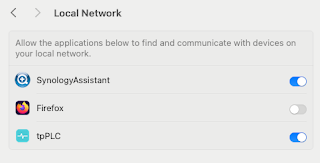
 Whilst trying to hit my NAS from Firefox on my Mac, I kept seeing errors such as:- Unable to connect Firefox can’t establish a connection t...