Thursday, 31 December 2015

Using unzip on Mac OS X with L-A-R-G-E files

Whilst trying to unpack a large >4 GB .ZIP file: -

unzip /Volumes/DaveHay/Software/ODM87/Fixes/Windows/8.7.1-WS-ODM_DC-WIN-FP001.zip 

I saw this: -

Archive:  /Volumes/DaveHay/Software/ODM87/Fixes/Windows/8.7.1-WS-ODM_DC-WIN-FP001.zip
warning [/Volumes/DaveHay/Software/ODM87/Fixes/Windows/8.7.1-WS-ODM_DC-WIN-FP001.zip]:  4294967296 extra bytes at beginning or within zipfile
  (attempting to process anyway)
file #1:  bad zipfile offset (local header sig):  4294967296
  (attempting to re-compensate)
   creating: 8700/

…

I'm using the stock unzip command that comes with Mac OS X 10.11.2: -

unzip -v

UnZip 5.52 of 28 February 2005, by Info-ZIP.  Maintained by C. Spieler.  Send
bug reports using http://www.info-zip.org/zip-bug.html; see README for details.

Latest sources and executables are at ftp://ftp.info-zip.org/pub/infozip/ ;
see ftp://ftp.info-zip.org/pub/infozip/UnZip.html for other sites.

Compiled with gcc 4.2.1 Compatible Apple LLVM 7.0.0 (clang-700.0.59.1) for Unix on Jul 31 2015.

...

I've seen this before, albeit on AIX - I solved it then using the jar command, as shipped with IBM Java7.

As ever, the answer was online: -


…
I managed to unzip it with tar.

tar xzvf 2015-09-24-raspbian-jessie.zip

Requires no installation of additional software
…

I tried the same thing: -

tar xvzf /Volumes/DaveHay/Software/ODM87/Fixes/Windows/8.7.1-WS-ODM_DC-WIN-FP001.zip 

which worked a treat.

Thanks Internet :-)

IBM Installation Manager - 32 vs 64 bits

I see this from time to time, this time whilst scripting up an IBM ODM Rules installation on Windows.

During the installation process: -

"c:\IBM\Installation Manager\eclipse\tools\imcl.exe" -input z:\DaveHay\Software\Repo\Win\ResponseFiles\installWAS8555_WIN.rsp -acceptLicense

I see this: -

ERROR: The 32-bit IBM WebSphere Application Server Network Deployment package cannot be installed in a 64-bit package group.

even though I know that I've got the 64-bit version of WAS ready to install on a 64-bit OS.

As ever, the solution is simple :-)

Read my own blog, read my own notes, look at an existing response file, record a NEW response file.

This time around, I did the latter: -

"c:\IBM\Installation Manager\eclipse\IBMIM.exe" -record foobar.rsp -skipInstall c:\temp\foobar

which resulted in: -

<?xml version='1.0' encoding='UTF-8'?>
<agent-input>
  <variables>
    <variable name='sharedLocation' value='C:\IBM\IMShared'/>
  </variables>
  <server>
    <repository location='z:\DaveHay\Software\Repo\WAS\Product'/>
    <repository location='z:\DaveHay\Software\Repo\WAS\Fixes'/>
  </server>
  <profile id='IBM WebSphere Application Server V8.5' installLocation='C:\IBM\WebSphere\AppServer'>
    <data key='cic.selector.arch' value='x86'/>
  </profile>
  <install>
    <!-- IBM WebSphere Application Server Network Deployment 8.5.5.5 -->
    <offering profile='IBM WebSphere Application Server V8.5' id='com.ibm.websphere.ND.v85' version='8.5.5005.20150220_0158' features='core.feature,ejbdeploy,thinclient,embeddablecontainer,com.ibm.sdk.6_64bit'/>
  </install>
  <preference name='com.ibm.cic.common.core.preferences.eclipseCache' value='${sharedLocation}'/>
  <preference name='offering.service.repositories.areUsed' value='false'/>
</agent-input>


I compared/contrasted the highlighted line: -

    <data key='cic.selector.arch' value='x86'/>

with the response file that I was trying to use: -

    <data key='cic.selector.arch' value='x86_64'/>

and changed it accordingly.

It's annoying when things are so simple, especially when it seems counter-intuitive i.e. if one is installing a 64-bit product onto a 64-bit OS, why would one NOT specify x86_64 :-)

Still, it all works now: -

"c:\IBM\Installation Manager\eclipse\tools\imcl.exe" -input z:\DaveHay\Software\Repo\Win\ResponseFiles\installWAS8555_WIN.rsp -acceptLicense

Installed com.ibm.websphere.ND.v85_8.5.5005.20150220_0158 to the C:\IBM\WebSphere\AppServer directory.

which is nice :-)

Integrate Docker in your IBM Operational Decision Manager environment

This is DEFINITELY something on my short-term reading list, as it's something with which I want / need to get to grips in the New Year: -

IBM® Operational Decision Manager (ODM) application developers who are new to Docker might consider adding Docker to their development process. This tutorial shows how to build a Docker image for an IBM ODM Rule Execution Server and Decision Center that run on a WebSphere Liberty server. You also learn how to run the Rule Execution Server and Decision Center in a container from the Docker image. This content is part of the IBM Business Process Management Journal.


It covers Docker, Liberty and ODM Rules in a single article. What's not to like ?

Wednesday, 30 December 2015

Book Review - 57 Challenges to Develop Your Coding Skills by Brian P. Hogan

It's been a while since last I reviewed a book, so I wanted to end the year with … a review.

Our friends at The British Computer Society (BCS) kindly sent me a copy of Exercises for Programmers : 57 Challenges to Develop Your Coding Skills by Brian P. Hogan a few weeks back.

This is available on Amazon here but my ebook came via a different route, thanks to BCS.

The purpose of the book is to, via a series of exercises, teach the reader the fundamentals of computer programming. The book is language-neutral, so it makes no difference whether you choose to use C, Java, Python, Swift etc. as the focus is on teaching one how to solve a problem in code, rather than how to use a particular language.

Through a series of increasingly complex problems, the author coaches the reader in the art of problem-solving, demonstrating how one can output data, perform calculations, compare strings, develop re-usable functions, sort data, use public APIs etc.

This took me back to my student days, where the instructor would set an exercise e.g. write a programme to output the Fibonacci sequence, print Pi to 32 decimal places etc.

Whilst this is a useful way to teach one HOW to programme, I found the exercises to be a little repetitive, and overly frustrating, perhaps because I'm not the ideal target audience i.e. I first learned to write computer programs more than 30 years ago, and I don't program for a living.

Additionally, whilst the book does set out each problem clearly, it does not provide any example solutions, even for the most simple of problems. This means that there's no obvious feedback loop between teacher and student. Again, it's perhaps my bias, but I'd have preferred to see a few example solutions, showing how the problem might be solved.

Don't get me wrong - this is a very useful book, and one that I'd definitely recommend to students of computing, but I'm not wholly convinced that it'd be the right tool for every job.

Perhaps it's down to the different ways that we all choose to learn, but I'd have personally preferred fewer, longer exercises, focused upon teaching a few fundamental concepts in one fell swoop.

As an ebook, this comes in around 263 pages in length, comprising, quelle surprise, 57 discrete exercises ( challenges ), each increasing in complexity, building upon the preceding chapters.

So, in conclusion, whilst this is an excellent book, I'd definitely recommend that the reader either be completely new to computer programming, or, perhaps better still, read this in conjunction with other, more detailed, tutorials.

Out of 10, I'd give this 7, taking into account the reservations expressed previously.

Before I finish, I want to thank Becky Youe at BCS for kindly providing me with this book to review.

Things that make you go "Hmmmm" - Part 321

A few days ago, having watched an excellent programme about Aardman Animation, Wallace and Gromit, Nick Park etc. I decided to rent one of Aardman's most recent films, The Pirates! In An Adventure with Scientists from iTunes.

So the film is sitting in my iTunes library, waiting to be watched …..

Last evening, I decide to watch it …..

On my Apple TV ……

At that point, the wheels come off my wagon …

Alas I can't find the movie, or even the Rental tab, on Apple TV, although I could choose to re-rent the film from iTunes :-)

Long story short, I Google and find this: -


…
If you rented the movie on your iOS device or Apple TV, you can't move it to any other device.
…

which, as far as I can establish, means that I cannot simply rent a movie on iTunes on my iPhone and then expect to watch it on my Apple TV.

The same article does helpfully say: -

…
You can also stream a rented movie from your computer or your iOS device to your Apple TV using AirPlay after it's fully downloaded.
…

which is precisely what I did.

In case it was me mis-reading the article, I asked one of the iMore gurus, Serenity Caldwell, via Twitter, who responded: -

settern
@david_hay Yep. It's one of the most mind-blowingly stupid policies on the store.
29/12/2015, 20:02

which helps, although it's an annoyance.

I have raised this with Apple Feedback - we'll see what happens ;-)

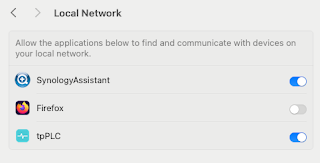
Note to self - Firefox and local connections

 Whilst trying to hit my NAS from Firefox on my Mac, I kept seeing errors such as:- Unable to connect Firefox can’t establish a connection t...