Monday, 15 July 2019

Shelling out - fun with Ubuntu shells

I saw this: -

-sh: 2: [: -gt: unexpected operator
-sh: 29: [: -gt: unexpected operator

when logging into an Ubuntu boxen.

I was pretty sure that this'd worked before, but wondered whether my shell was giving me (s)hell ....

I checked what I was currently running: -

echo $SHELL

/bin/sh

which is a flavour of the Bourne Again SHell ( BASH ).

I then checked the /etc/passwd file: -

cat /etc/passwd

hayd:x:12039:12039::/home/hayd:

and realised that I didn't have an explicit shell set.

I upped my authority ( super user do ): -

sudo bash

[sudo] password for hayd: 

and then updated my account: -

usermod --shell /bin/bash hayd

Now /etc/passwd looks OK: -

hayd:x:12039:12039::/home/hayd:/bin/bash

and I'm now all good to go: -

echo $SHELL

/bin/bash


Friday, 12 July 2019

Intro Guide to Dockerfile Best Practices

Not sure how I found this ( it MAY have been Twitter ), but this is rather useful: -

Intro Guide to Dockerfile Best Practices

especially whilst I've been automating the build of Docker images via Jenkins pipelines.

Definitely a few tips to try, such as: -

Tip #4: Remove unnecessary dependencies

Remove unnecessary dependencies and do not install debugging tools. If needed debugging tools can always be installed later. Certain package managers such as apt, automatically install packages that are recommended by the user-specified package, unnecessarily increasing the footprint. Apt has the –no-install-recommends flag which ensures that dependencies that were not actually needed are not installed. If they are needed, add them explicitly.

Go read !

Now Available - IBM Cloud Hyper Protect Virtual Servers

I'm pleased to see one of the IBM Z offerings upon which my Squad are working is now available in the IBM Cloud Experimental Services section of the IBM Cloud Catalog: -


Hyper protect line of virtual servers service leveraging the unparalleled security and reliability of Secure Service Containers on IBM Z.

Features

Security

Ability to deploy a Virtual Server in a Secure Service Container ensuring confidentiality of data and code running within the VS

Z Capabilities on the cloud

Ability to deploy workload into the most secure, highly performant, Linux virtual server with extreme vertical scale

Easy to use, open, and flexible

User experience at parity with market leaders both when buying and using the VS; with the openness and flexibility of a public cloud

No Z skills required

Access Z technology without having to purchase, install, and maintain unique hardware

IBM Cloud Hyper Protect Virtual Servers

Yay us!

Friday, 5 July 2019

Book Review - Left To Our Own Devices, by Margaret E Morris

As mentioned previously, I've been writing a series of book reviews for the British Computer Society (BCS), including: -

Book Review - You'll See This Message When It Is Too Late - The Legal and Economic Aftermath of Cybersecurity Breaches

Rails, Angular, Postgres, and Bootstrap - A Book Review

Kubernetes Microservices with Docker - A Book Review

Book Review - Mastering Puppet Second Edition by Thomas Uphill

etc.

So here's the most  recent review - as before, for full disclosure, I must mention that BCS kindly provided me with a free hardcopy of the book, albeit a review version: -

Left To Our Own Devices, by Margaret E Morris

https://mitpress.mit.edu/books/left-our-own-devices

If nothing else, the title of this book intrigued me, in part because it reminded me of a Pet Shop Boys track from my youth. More seriously, the subtitle of the book: -

Outsmarting smart technology to reclaim our relationships, health and focus

resonated with a lot of recent media coverage about the impacts, both real and perceived, both positive and negative, of information technology in the modern era.

Whilst I don't claim to have strong opinions about the topic, or be particularly well-informed, apart from as a consumer, I have given thought to my family's use of mobile devices, Internet of Things gadgets, so-called smart home technology etc.

I'd especially considered limits on screen time, impact on sleep patterns, exposure to sources of news, including social media, and my tendency to live in a bubble, self-selecting news and opinions that mirror my own.

Therefore, this book came at precisely the right time, and opened my eyes to a number of use cases of technology, including smart lighting, health tracking ( including the so-called Quantified Self ), social media and messaging, technology as an art-form, self-identity, including gender and sexuality, and technology as a therapist.

Ms Morris illustrates each chapter, of which there eight, with a large number of individual user stories, taking inspiration and insight from real people, who allow her to share how they use technology, mainly for the positive, but with thought and insight.

Despite the title, and the subtitle, I found the book to be a very positive read; whilst there are definitely shortcomings to an over-use and over-reliance upon technology, the book shows how humans do manage to mostly outsmart their smart technology, and get from it what they need, whether or not that's what the original inventor intended.

I didn't come away with a list of Do's and Don'ts, but a better understanding of how, and why, people choose to use certain technologies, and, therefore, how I can evaluate my own use, and be more qualitative in my choice of technologies.

In conclusion, I strongly recommend this book, it's a relatively short read, coming in ~130 pages, and is a high enough level that one doesn't need to be a total geek to get the points raised, whether or not one is a total geek.

Out of 10, I'd give this book 10, mainly for completeness, brevity and for the all-important human touch.

Thursday, 4 July 2019

Docker Registries and Repositories - Is there a difference ? ( Hint, yes, there really is )

This came up in discussion today, and one of my colleagues pointed me here: -

Difference between Docker registry and repository

Docker registry is a service that is storing your docker images.

Docker registry could be hosted by a third party, as public or private registry, like one of the following registries:

    Docker Hub,
    Quay,
    Google Container Registry,
    AWS Container Registry

or you can host the docker registry by yourself
(see https://docs.docker.com/docker-trusted-registry/ for more details).

Docker repository is a collection of different docker images with same name, that have different tags. Tag is alphanumeric identifier of the image within a repository.

For example see https://hub.docker.com/r/library/python/tags/. There are many different tags for the official python image, these tags are all members of the official python repository on the Docker Hub. Docker Hub is a Docker Registry hosted by Docker.

To find out more read:

    https://docs.docker.com/registry/
    https://github.com/docker/distribution

IBM Cloud also helped me here, in that I have an IBM Cloud Container Registry service, aka ICCR, within which I have access to several Repositories, and the ICCR UI helpfully tells me: -

A repository is a set of related images with the same name, but different tags.


which is, as they say, nice 😂

Monday, 1 July 2019

Bash and a sufficiency of input parameters

I hit an interesting quirk in Bash earlier today; I'm passing in a list of command-line parameters to a Bash script, using the $1, $2 etc. input parameter method.

However, I noticed that the TENTH parameter failed, and I ended up with a trailing zero on the end of a string that was actually the FIRST parameter.

It appeared that Bash was stopping at 9, and then simply adding the character '0' to the end of the string provided as the FIRST parameter.

Here's an example: -

#!/bin/bash

export A=$1
export B=$2
export C=$3
export D=$4
export E=$5
export F=$6
export G=$7
export H=$8
export I=$9
export J=$10

echo $J

When I execute the script: -

~/foo.sh 1 2 3 4 5 6 7 8 9 0

I'd expect to see this: -

The tenth parameter is 0

whereas I actually saw this: -

The tenth parameter is 10

As ever, the internet came to the rescue: -


which said, in part: -

...
Use curly braces to set them off:

echo "${10}"
...

I updated my script: -

#!/bin/bash

export A=${1}
export B=${2}
export C=${3}
export D=${4}
export E=${5}
export F=${6}
export G=${7}
export H=${8}
export I=${9}
export J=${10}

echo "The tenth parameter is" $J

and now it works as expected: -

The tenth parameter is 0

To be fair, the article also said: -

...
You can also iterate over the positional parameters like this:

for arg

or

for arg in "$@"

or

while (( $# > 0 ))    # or [ $# -gt 0 ]
do
    echo "$1"
    shift
done
...

which I should definitely try .........

IBM Cloud Vulnerability Advisor - Poking the Endpoint

I've been using the Vulnerability Advisor (VA) tool to automate the testing of my built Docker images, looking for code vulnerabilities, scanning against the IBM X-Force database and known Common Vulnerabilities and Exposures (CVE) issues.

This is a nifty feature of the IBM Cloud Container Registry and provides both web UI *AND* command-line interface (CLI) options, which is super-good.

However, I'd not really looked at the REST APIs that VA provides, as documented here: -

Vulnerability Advisor for IBM Cloud Container Registry

Talking with a colleague, I realised that one can leverage API calls such as Report, which returns a JSON payload comprising ALL of the images "owned" by that IBM Cloud account, with an indication of status e.g. OK, UNSUPPORTED, FAIL, plus details of vulnerabilities, configuration issues etc.

So it's the same information that's available via the web UI and the CLI, but available for programmatic consumption ....

To consume this, one needs to pass in HTTP headers such as Account ( which IBM account is being targeted ) and Authorization ( a Bearer token ).

The first is retrieved via the command: -

bx iam accounts

which returns a list of Account GUIDs, plus the Name, Status and Owner.

The second is retrieved by the command: -

bx iam oauth-tokens

which returns a nice long string of apparent gibberish which is actually one's auth token.

Armed with the account ( which should be 32 hex characters ) and the auth token ( which should be 1074 characters ), one can hit the API endpoint.

This is the cURL command - other REST clients are available: -

curl -X GET \
  https://us.icr.io/va/api/v3/report/account \
  -H 'Accept: */*' \
  -H 'Account: db52f980f8c07a05b50cb223fae0d849' \
  -H 'Authorization: Bearer xdx60o64BxVzavTaO8ayNRZCwE4zavFdMbHh0DHh6sB2JKqqTENlQmBDVoBJdOwgQq5eYgUQiikG1KSJs6MuUGyIy2tdQD7eZ0DzIhj6YBX70V8UY0rwLjX0CEfV3UMIOHaGT1yZE7MRLy8iCLn0BOo20rI7vBqgjfJfQlJpd74o5fAkw6oppqchNRFW99GOtAJgGWxzULhx1hsG99ejHZNA7631uJ693whc1gdhp2xw46xQ0g66vGYMLKlyOMUqbm3aM9QoBJulDAp2k8TKdzy589PUafXcIKY4m3nFREAMdr6s8e6bktzkJLtFvqBPGejcaYSLXmnIuP7clOaGvMwwUd2k6KQkpeLPqqmnWP11nNnoMDAiFTnHsPSd74dXtZ4jpfb6co6fXRXmL1Nd2hqfXpVGCbn4wfHWhxbTZhVJs729UJjoZtJGZqdhRLQgrSqzO4jDre0WFfGy0JKsgTRJd37W92d2lbYyiX4Gze9rkSawPhMuRsHw9W6JwAZtqglOIweqy2AcwD3f599k2oEXhZ7LaXPUSlyJQtmTtE4VMBualv3R3zE3Q2wQrPzGLqrFHo30TdNeXDA99o5WVGxSb1QAs9oSWia3sLIr0c6IAdxBPSVv7Xb7aSnlTyB4EII4RKi0GiHWn1f4tJzeBSC9FMNCFvla7utslQB3lMPpA0SZprIa2FuQ9gdy6FYwhe8nzKlBLlCdcqGj7UG2S0m4YIdvtrxT8WDe0JiNY2kQtyZYOlF6tqDdGZNZpYjOvoWZLercfT71bKd3zpAkXcY9XK9G32CpZewBvPvFETzQj7mkdJOQirKY0ZADrUasniu1KgrrcirJt0TqnDRpkxOk23cDoLfs6utxEx3nxNeKqL0sxQdOtLjUsNCh0heranPqbUfV5DaWt4oHLBULOfTBpdcKLeOvIYl1khH9UnzW82fk7FrINp40vwUti5euXHsX2bbkfk0i0JG1qm7ynJY4ZatX4j6B4wglK4KRXeYql7wffRAq10fvbgrgKgBqrUsTHjuprElrFHHkpAS6jKvDmCquHD1ePLFA0IVOdAO407Apbe
' \

and wait for a nice long list of images and their vulnerabilities ....


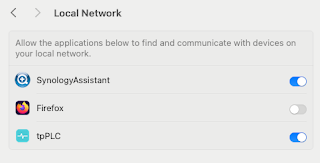
Note to self - Firefox and local connections

 Whilst trying to hit my NAS from Firefox on my Mac, I kept seeing errors such as:- Unable to connect Firefox can’t establish a connection t...